


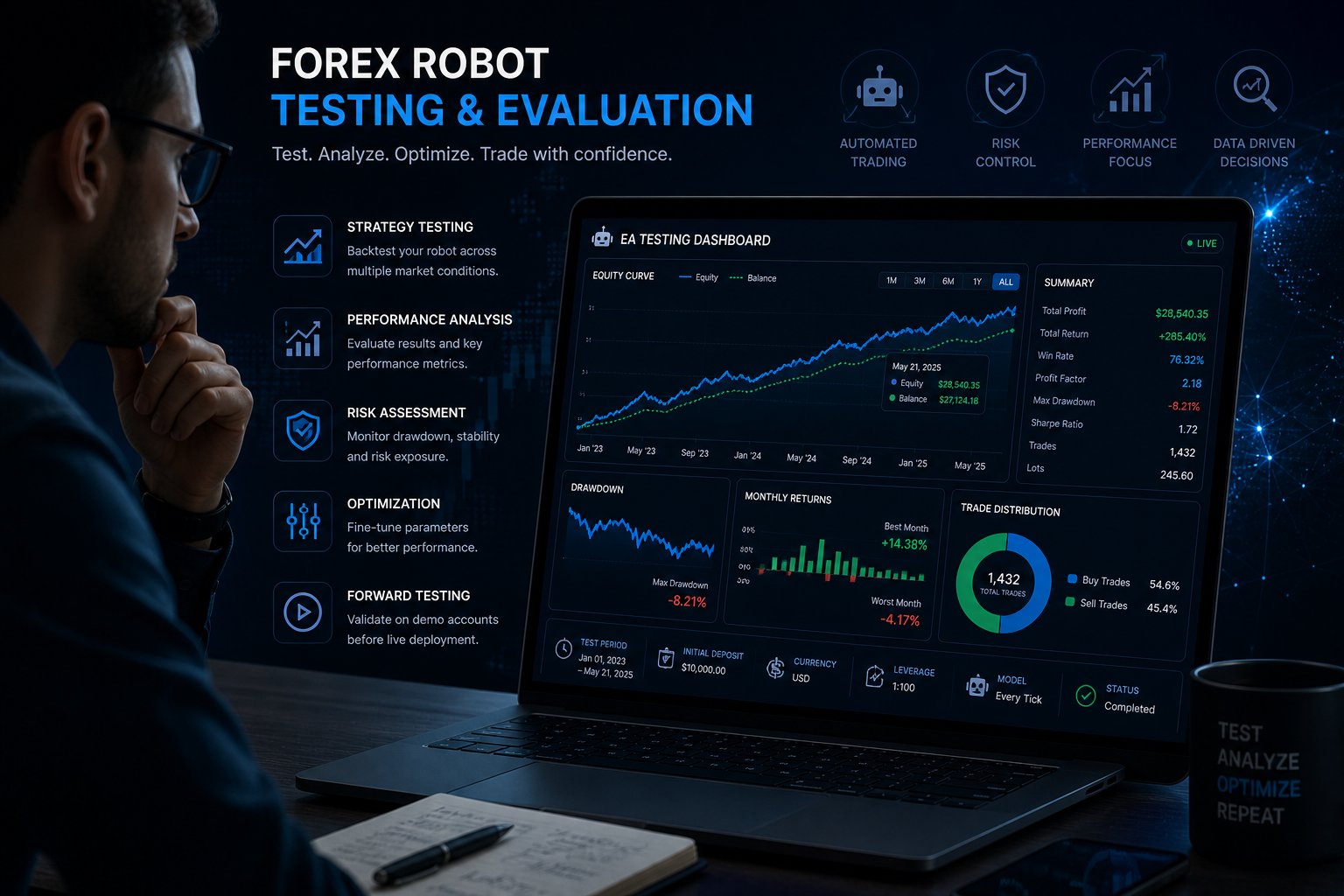
If you want to know how to test a forex robot properly, you have come to the right place. And if you have already bought an EA that looked brilliant in a backtest and then fell apart in live trading, you are definitely in the right place.
Here is the uncomfortable truth about most forex robots on the market: they are optimised to look good in testing, not to perform in real conditions. Developers run backtests on cherry-picked date ranges, hide the drawdown, and slap a shiny equity curve on the sales page. You buy it, plug it in, and watch it behave nothing like the promotion promised.
At OPKEE, we have been burned like that too. Which is exactly why we built a rigorous, step-by-step testing framework that we use with every single EA before we recommend it to our community. We test with real money. We track everything publicly. And we share what we find, good or bad.
Here is the exact process.
Why Most Forex Robot Tests Fail Before They Even Begin
Before the framework, let’s talk about the mistakes almost everyone makes when testing a new EA:
- Running only a backtest and calling it proof
- Testing on a demo account for a week and going live immediately
- Using the default settings without adjusting for their broker’s spreads
- Starting with too large a lot size for their account balance
- Not checking whether the EA uses martingale or grid logic underneath
Any one of these can tank your account. All five together? That is how people blow $500 in a fortnight and swear automation does not work. It works. The problem is the testing process, not the concept.
The OPKEE 5-Stage Forex Robot Testing Framework
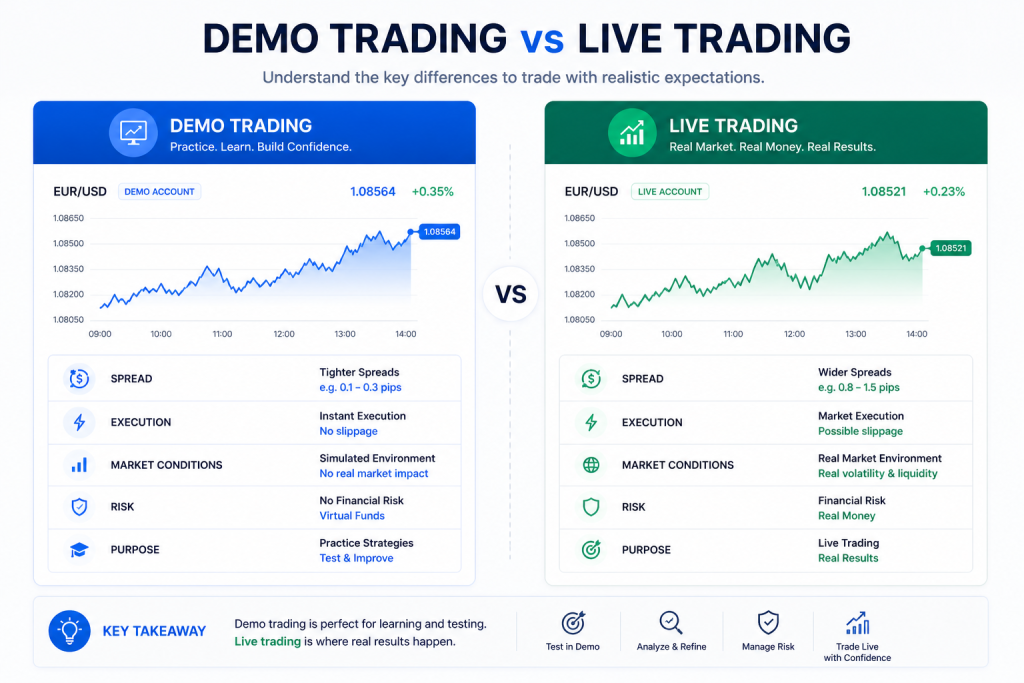
We break our testing into five stages. Each one serves a specific purpose, and we do not skip any of them regardless of how promising the EA looks on paper.
Stage 1: Strategy Audit Before You Install Anything
The first step happens before the EA even touches a platform. We audit the underlying strategy:
- Does it use a martingale or grid multiplier? If yes, what is the exit condition?
- What currency pairs and timeframes is it built for?
- Does the developer provide a live Myfxbook or FX Blue verified account?
- How long has that live account been running? Anything under 3 months is not enough data
- What is the maximum drawdown on the live account, not the backtest?
If the developer cannot answer these questions clearly, or if the only proof is a screenshot, we move on. There are too many verified EAs available to waste time on unverified ones.
Stage 2: Demo Account Testing for 14 to 21 Days
Once an EA passes the audit, we install it on a demo account that mirrors a real live account as closely as possible. This means using the same broker, the same leverage settings, and micro lot sizes.
What we watch during demo testing:
- Trade frequency: is it taking the number of trades the developer claims per day?
- Spread behaviour: is it trading into high-spread windows, like news events or session opens?
- Recovery pattern: after a losing trade, does the next trade size stay sensible?
- Session timing: is it placing trades during illiquid hours that would look worse live?
Two to three weeks of demo testing is not a long time, but it is enough to see behavioural patterns and flag obvious problems before real money is at risk.
At OPKEE, we document every stage of our testing process. Members see the demo results before any real money goes in. That level of transparency is rare in this industry, and it is part of why our community trusts what we recommend.
Stage 3: Micro Live Account Testing for 30 to 60 Days
This is where most community members are surprised. We do not jump from demo to full deployment. We open a micro live account with a small real balance, typically in the range of $200 to $300, and run the EA there for at least a month.
Why does this stage matter? Because a live account behaves differently from a demo. Spreads are wider during certain moments. Slippage occurs. Orders do not always fill at the exact price the algorithm expected. These differences are small individually but they compound across dozens of trades.
During micro live testing, we track:
- Actual vs expected entry and exit prices
- Real spread costs compared to what the backtest assumed
- Equity curve shape: smooth growth or large swings?
- Performance during a news week vs a quiet week
- Whether the EA handles a losing streak without spiralling
Stage 4: Performance Benchmarking
After 30 to 60 days of micro live trading, we run the numbers. Here is the benchmark table we use to evaluate whether an EA is worth scaling:
| Metric | Minimum Acceptable | OPKEE Target |
| Monthly return (live) | 3%+ | 5 to 15% |
| Max drawdown (live) | Below 30% | Below 20% |
| Profit factor | 1.2+ | 1.5+ |
| Win rate | 45%+ | 55%+ |
| Consecutive losses | Below 8 | Below 5 |
| Live months tracked | 2+ | 3 to 6+ |
Any EA that does not meet the minimums does not make it into our recommendations, regardless of how good the backtest looks.
Stage 5: Scaling Decision and Ongoing Monitoring
An EA that passes all four stages earns a spot in our EA Vault. But that is not where the process ends. We continue monitoring every recommended EA with live results shared weekly with our members.
Markets change. An EA that crushes a ranging market may underperform during a trending one. We adjust settings, track updates from developers, and notify members when something needs attention. This ongoing oversight is something you simply do not get when you buy an EA on your own.
Red Flags to Walk Away From Immediately
While you are building your testing skills, these are the signs that an EA is not worth your time or money:
- No live verified account, only a backtest or demo results
- A backtest with suspiciously smooth equity growth and near-zero drawdown
- Claims of 100%+ monthly returns consistently
- No information about the strategy logic or entry and exit rules
- Aggressive upselling or countdown timers pressuring a fast purchase
- No refund policy or money-back guarantee
The forex automation space has its share of genuinely excellent products. It also has a lot of noise. The framework above cuts through that noise so you spend money on what actually works.
OPKEE members never have to run this process alone. We pool our collective resources, split the testing costs, and share the results openly. You get access to $500 or more worth of professional monthly testing for a fraction of that cost.
You Do Not Have to Figure This Out the Hard Way
Most traders learn forex robot testing by losing money first. A blown demo, then a blown live account, then a smarter approach. We went through that cycle ourselves before building OPKEE.
The community exists so you can skip that painful and expensive first chapter. Every EA in our vault has been through the full five-stage framework. Every recommendation comes with documented results that you can verify independently. And every member gets weekly updates so you always know what is performing and what we have pulled from the list.
Here is what joining OPKEE gets you:
- Access to a curated EA Vault of fully tested, live-verified expert advisors
- Managed copy-trade accounts for those who want true hands-off trading
- Weekly performance reports from our live testing accounts
- A community of traders sharing real results, not just wins
- Setup support so you are live and running within hours, not weeks
You do not need a massive account to start. You do not need a technical background. You need access to the right information, from people who have already done the hard testing work.
Ready to see which EAs are currently live and passing our framework? Join OPKEE today and get immediate access to everything we have tested, tracked, and verified.
Disclaimer: OPKEE Investors is not a financial advisor. Content is for informational and educational purposes only. Trading involves substantial risk of loss. Past results do not guarantee future performance. Always do your own research.